Understand the process before picking tools
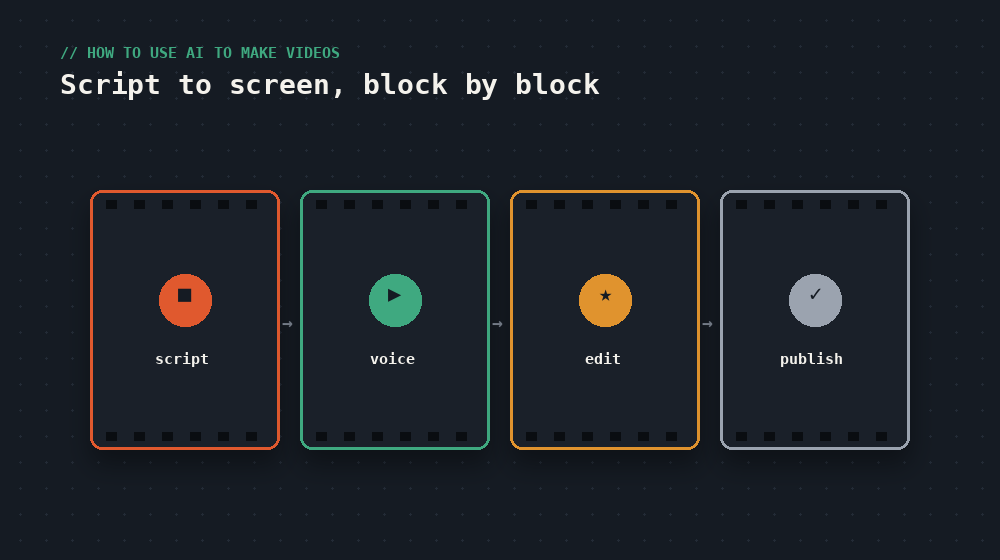
Making a video with AI help isn't "one tool that does everything." It's built block by block, and each block has one or two tools that do that job well. The blocks are: script, visuals/clips, voice, music, and final edit. Trying to solve everything with a single app usually gives generic results — mixing specialized tools gives better output without costing more time.
The tools, block by block
| Block | What it's for | Recommended level |
|---|---|---|
| Script & ideas | Structuring the video before shooting or generating anything | Any text AI assistant (Claude, for example) |
| Video generation | Creating clips from a text description | Beginner-focused tools are easier to learn than mid-tier ones |
| Avatars / on-camera voice | A virtual presenter that reads your script | Platforms specialized in realistic avatars, great if you don't want to film yourself |
| Editing & subtitles | Cutting, joining clips, and adding automatic captions | Browser-based editors, nothing to install, built for beginners |
tip to get started
Don't test five tools at once. Pick one per block, make one short video start to finish, and only then decide if you need to swap anything. Most beginners lose more time testing tools than actually editing.
A simple workflow for your first video
- Write the script first, without any video AI yet. Outline in 5-10 lines what you'll say and in what order. Ask a text assistant to help structure it if you don't know where to start.
- Generate or film the scenes. If you don't want to be on camera, an AI avatar can narrate your script. If you prefer generated clips, describe each scene with the same level of detail you'd give a camera operator.
- Add automatic subtitles. Most social media video is watched with sound off — a video without captions loses a big chunk of its audience.
- Review the pacing, not just the content. An AI video with no cuts or pauses feels artificial. Trim silences and filler before publishing.
Common mistakes when starting out
- Giving vague descriptions. "A video about technology" gives generic results. The more specific the scene description, the better the output.
- Not reviewing the video before publishing. AI tools still make visual or sync mistakes — always watch the full result before uploading.
- Relying 100% on templates. Templates save time, but a video that looks like a thousand others won't stand out. Change colors, pacing, or structure to make it yours.
bottom line
You don't need professional editing skills to publish your first video: you need a clear script, one tool per block of the process, and the discipline to review before publishing. Quality comes from repetition, not the most expensive tool.
keep going
Reading about it is step one. The devnotes courses are where you actually build it — hands-on, one short lesson at a time.